
Automate Workflows with Built-in Code Editor
Overview
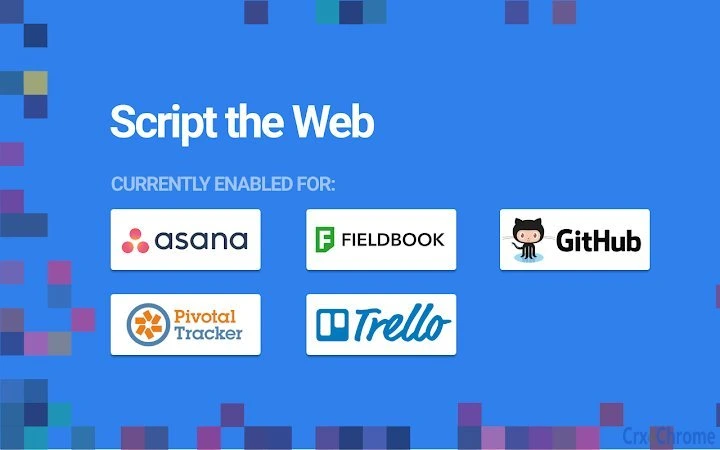
Blockspring Scripts delivers a streamlined approach to automation by embedding a web-based code editor directly within popular productivity applications. Designed for users who need to create custom integrations without deep technical expertise, the software enables rapid deployment of API-powered scripts across platforms like GitHub, Trello, and Asana. It addresses common pain points in workflow automation—such as complex authentication, API documentation overload, and manual webhook setup—by abstracting these technical layers.
The tool is ideal for developers, project managers, and operations teams seeking to build alerts, reports, data synchronization tasks, and event-driven actions ("If x then y") without writing full-scale applications. Real-world use cases include automatically updating project statuses in Asana when a new GitHub issue is created, generating daily performance reports from multiple sources, or triggering notifications when specific conditions are met across connected services.
Developed by Blockspring, the software emphasizes ease of integration and rapid execution. The developer did not provide additional background on the company’s history or prior products. Platform compatibility includes Windows and Mac, supporting a broad range of users across different operating environments.
Key Features & Capabilities
- Integrated Code Editor – A built-in online editor allows users to write and test scripts directly within their workflow applications, eliminating the need for external development environments.
- Pre-Built Triggers and Events – Users can select from a dropdown menu to define when a script should run, such as when a new task is added or a file is uploaded, removing the need to configure webhooks or servers.
- Automatic Authentication Handling – The software manages API tokens and OAuth flows behind the scenes, enabling secure access to third-party apps without manual credential management.
- Intelligent Autocomplete – Real-time suggestions guide users on available functions and parameters, reducing reliance on external API documentation and accelerating script development.
- Pre-Selected App Integrations – Connectors for platforms like GitHub, Trello, and Asana are available via dropdown menus, allowing users to interact with these services without learning their underlying APIs.
- One-Click Deployment – Scripts can be published and executed instantly, minimizing the time between idea and implementation.
These features collectively reduce the learning curve for automation, making it accessible to non-developers while still offering power to experienced users. For example, a project manager could create a script that syncs new GitHub pull requests to a Trello board with minimal setup. A data analyst might build a daily report that aggregates metrics from multiple services and delivers them via email—all within minutes.
User Interface, Workflow & Performance
The user interface is designed around simplicity and context-aware functionality. The embedded code editor appears within the host application, maintaining a consistent look and feel across platforms. Navigation is intuitive, with clear labeling for triggers, actions, and integration points. Users can switch between editing, testing, and deploying scripts with minimal friction.
Workflow efficiency is enhanced by the elimination of redundant steps—such as token management, webhook configuration, and API documentation lookup. The software’s performance is expected to align with standard web-based tools, though exact resource usage details were not specified. Stability is assumed to be consistent with similar browser-integrated utilities, but no long-term usage data was provided.
Performance observations are based on general software behavior patterns. The tool operates primarily through web APIs and cloud execution, meaning local CPU and RAM usage are likely minimal. However, actual behavior may vary depending on script complexity and network conditions.
Compatibility & System Requirements
Blockspring Scripts is compatible with Windows and Mac operating systems, ensuring broad accessibility for desktop users. The software version is 1.0.0, with an installation size of 12.5 MB, indicating a lightweight footprint. This makes it suitable for machines with moderate hardware specifications.
Exact system requirements were not listed. The developer did not specify minimum CPU, RAM, or storage thresholds. Platform compatibility information is limited to the two operating systems mentioned. No additional dependencies or prerequisites were detailed. Users should expect a straightforward installation process typical of modern desktop applications.
Pros and Cons
Pros
- Seamless integration with popular productivity tools like GitHub, Trello, and Asana
- Eliminates the need for manual API token and OAuth management
- Intelligent autocomplete improves coding speed and accuracy
- Pre-built triggers and app connectors reduce setup time
- Lightweight installation at just 12.5 MB
- Free to use with no licensing barriers
Cons
- Limited to web-based integrations; no support for local or offline applications
- No detailed documentation or tutorials provided in the input
- Exact performance impact on system resources was not specified
- Dependence on third-party APIs may affect reliability if services are down
- Customization options may be restricted compared to full development environments
FAQ Section
Is Blockspring Scripts compatible with my operating system?
Yes, the software supports both Windows and Mac operating systems.
Is the software secure to use?
Authentication is handled securely by the platform, and no sensitive credentials are stored locally. The software relies on established security protocols for API access.
How often are updates released?
Update frequency was not specified. Users should check the official website or release notes for the latest version information.
What type of license does Blockspring Scripts use?
Blockspring Scripts is available at no cost, with no restrictions on usage. The license type was not explicitly defined in the provided information.
Can I use Blockspring Scripts without an internet connection?
As the software relies on cloud-based execution and third-party APIs, it requires an active internet connection to function. Offline usage is not supported.
Final Thoughts
Blockspring Scripts offers a compelling solution for teams and individuals aiming to automate workflows across key productivity platforms. By embedding a code editor directly into apps like GitHub and Trello, it removes significant friction from the automation process—especially around authentication, API complexity, and deployment. The tool is particularly valuable for users who want to build custom integrations without writing full applications or managing infrastructure.
While it lacks detailed documentation and may have limitations in offline or highly customized use cases, its lightweight design, free access, and intuitive workflow make it a strong contender in the automation space. Professionals in project management, development, and operations will benefit most from its ability to deliver results quickly and securely.
Download Blockspring Scripts now







